AI SEO Article Writer for WordPress: Integration Guide
Integrate an AI SEO article writer with WordPress using our step-by-step guide, covering plugins, API connections, and automated publishing.
Integrating an AI SEO article writer for WordPress transforms your content pipeline from manual drafting to automated publishing, letting you scale output while maintaining quality and search visibility. This guide walks through the exact steps to connect AI-powered content generation directly into your WordPress site, configure automated publishing workflows, and ensure every article ships optimized for both Google rankings and AI citations.
What Is an AI SEO Article Writer for WordPress?
An AI SEO article writer for WordPress is a software system that generates search-optimized blog posts using large language models and publishes them directly to your WordPress site via API or plugin, eliminating manual copy-paste steps and enabling scheduled, hands-off content deployment. Unlike generic AI writing tools that output text files, WordPress-integrated solutions handle keyword research, on-page optimization, internal linking, and live publishing in a single automated workflow, reducing the time from brief to live article from hours to minutes.
Why Integrate AI Content Generation Directly Into WordPress?
Direct WordPress integration removes the friction of manual content transfer, version control, and formatting errors that plague copy-paste workflows. When your AI writer connects natively to WordPress, metadata such as title tags, meta descriptions, alt text, and internal links populate automatically in the correct fields, preserving SEO structure without human oversight. Automation platforms like RankHit further streamline this by coupling keyword research, content generation, and native publishing into one pipeline, so every article goes live pre-optimized for search engines and AI answer engines such as ChatGPT.
Manual workflows introduce lag between drafting and publishing, during which trending topics lose relevance and competitors capture early rankings. Native integration compresses that timeline, letting you publish the same day you identify a keyword opportunity, a speed advantage that compounds across dozens or hundreds of articles per month.
Step 1: Choose Your AI SEO Content Platform
Your first decision is selecting an AI content platform that both generates SEO-optimized articles and offers WordPress publishing capabilities, either through a proprietary plugin or REST API integration. Evaluate platforms on three criteria: depth of keyword research automation, quality of on-page optimization (heading structure, keyword density, internal linking), and whether they publish natively or require a third-party connector. Native publishing systems reduce integration complexity and failure points compared to workflows that chain together separate tools for generation, editing, and posting.
Platforms purpose-built for SEO automation typically include topical authority planning, internal link mapping, and schema markup generation as part of the package, whereas generic AI writers require manual post-processing for each element. This distinction matters at scale: the overhead saved per article multiplies across every post you publish.
How Do I Connect an AI Writer to WordPress Using a Plugin?
Plugin-based integration installs a lightweight bridge inside your WordPress admin that communicates with the AI platform's servers, letting you trigger content generation and publishing without leaving the dashboard. After installing the plugin from the WordPress repository or as a ZIP file provided by your AI vendor, navigate to the plugin settings page, enter your API key (generated in your AI platform account), and authorize the connection by clicking the authentication button. Most plugins confirm successful connection with a green status indicator and display your remaining content credits or usage quota.
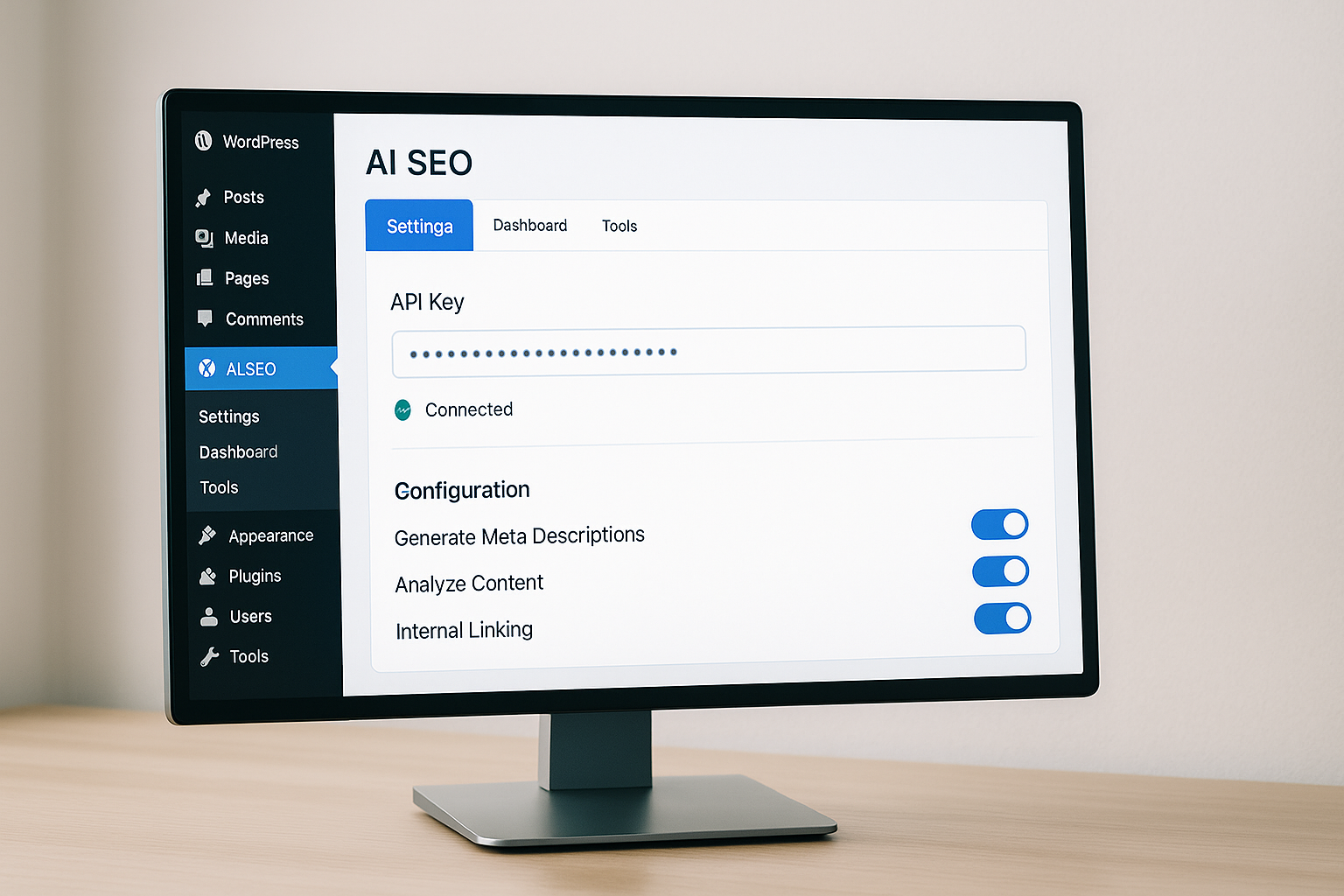
Once connected, the plugin typically adds a new menu item to your WordPress sidebar, where you can configure default publishing settings such as post status (draft or published), author assignment, category placement, and featured image handling. Setting these defaults once saves time on every subsequent article, ensuring consistency across your content library.
Step 2: Configure WordPress REST API Access for Direct Publishing
REST API integration bypasses the need for a plugin by granting your AI platform permission to create posts, upload media, and update metadata directly through WordPress's built-in HTTP endpoints. To enable this, install an application password plugin (WordPress 5.6 and later include this feature natively) and generate a unique password for your AI service under Users, Your Profile, Application Passwords. Copy the generated password immediately, since WordPress displays it only once, and paste it into your AI platform's WordPress connection settings alongside your site URL and username.
REST API connections offer greater flexibility for advanced workflows, such as posting to multiple sites from one AI account or integrating with custom post types and taxonomies that standard plugins might not support. However, they require slightly more technical setup and careful password management, since a compromised application password grants full authoring access to your site.
What Permissions Does the AI Platform Need in WordPress?
AI content platforms require author-level or editor-level permissions to create posts, upload images, assign categories and tags, and insert internal links, but they should never need administrator access, which grants plugin installation and user management rights. When generating an application password or creating a dedicated WordPress user for your AI service, assign the Editor role, which allows all content operations while restricting changes to site settings, theme files, and security configurations. This principle of least privilege limits damage if credentials are ever exposed.
Review your AI platform's documentation for its exact permission requirements, and audit its activity by monitoring the Users, Activity Log (available through plugins like WP Activity Log) to confirm it only performs expected actions such as creating posts and uploading media, not modifying theme code or installing plugins.
Step 3: Set Up Keyword Research and Content Briefs
Effective AI SEO automation begins with structured keyword input, either by uploading a keyword list, connecting a keyword research tool, or using the AI platform's built-in discovery features to surface high-opportunity queries in your niche. Platforms with deep research capabilities analyze search volume, competition, and topical gaps to prioritize which keywords to target first, then generate content briefs specifying heading structure, related questions, and semantic keyword clusters for each article. This planning layer ensures every article aligns with your broader topical authority strategy rather than scattering effort across unrelated queries.
| Setup Method | Best For | Complexity |
|---|---|---|
| Plugin Installation | Non-technical users, single-site publishers | Low |
| REST API + Application Password | Multi-site networks, custom post types | Medium |
| Zapier or Make.com Webhook | Existing automation workflows, non-WordPress platforms | High |
After configuring keyword inputs, set content parameters such as target word count, tone of voice, and internal linking rules. These defaults guide the AI generator to produce articles that match your brand voice and site structure without manual intervention on every post.
How Does Automated Internal Linking Work in WordPress?
Automated internal linking scans your existing WordPress content library to identify relevant anchor opportunities, then inserts contextual links during article generation so every new post connects to related articles, category pages, or cornerstone content without manual sitewide audits. Advanced platforms map your site structure in real time, updating link targets as you publish new content and avoiding broken links or orphaned pages. This continuous link graph optimization is a key driver of topical authority, signaling to search engines that your site comprehensively covers a subject cluster rather than publishing isolated posts.
When configuring internal linking rules, specify a target link density (typically two to four links per 1,000 words), prioritize cornerstone content for anchor distribution, and exclude commercial pages such as pricing or checkout from blog-to-blog linking patterns. These guardrails prevent over-optimization penalties while maximizing the SEO benefit of a well-connected content graph.
Step 4: Configure On-Page SEO Settings
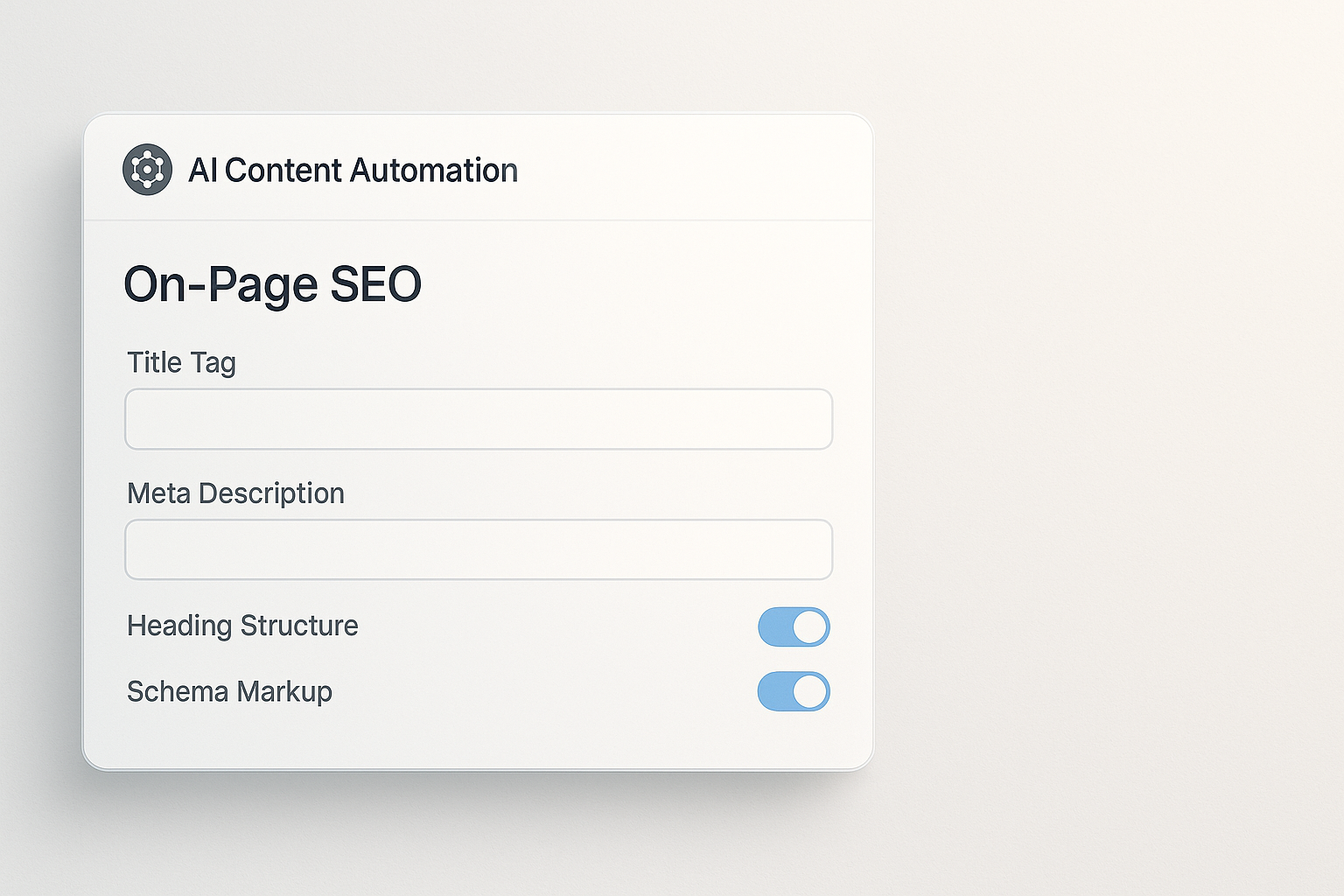
On-page SEO configuration tells your AI writer how to structure title tags, meta descriptions, heading hierarchy, and schema markup for every article, ensuring technical compliance before the first word is generated. In your AI platform's settings, define title tag templates that incorporate target keywords and brand name, specify meta description length limits (150 to 160 characters), and enable automatic FAQ schema generation for articles with question-based sections. These templates apply globally, so every article inherits consistent SEO architecture without per-post manual input.
Many AI platforms also handle alt text generation for images, either by analyzing image content with computer vision or by deriving descriptive text from surrounding paragraph context. Enabling this feature ensures accessibility compliance and captures long-tail image search traffic without adding manual alt text steps to your workflow.
What SEO Plugins Work Best With AI Content Automation?
AI-generated content integrates smoothly with popular SEO plugins such as Yoast SEO, Rank Math, and All in One SEO Pack, since these plugins read and validate the same metadata fields (title, description, focus keyword) that AI platforms populate during publishing. Yoast SEO's readability analysis and Rank Math's content AI features can provide post-publication quality checks, flagging issues like passive voice overuse or thin content that may have slipped past the AI generator's initial quality filters. However, avoid running multiple AI optimization layers simultaneously, such as letting Rank Math rewrite meta descriptions that your AI platform already optimized, since conflicting rewrites can dilute keyword targeting or introduce redundancy.
For schema markup, coordinate between your AI platform's built-in schema generation and your SEO plugin's schema settings to prevent duplicate or conflicting structured data. If your AI writer automatically adds FAQ schema, disable overlapping FAQ modules in Rank Math or Yoast to avoid validation errors in Google's Rich Results Test.
Step 5: Test Publishing a Single Article
Before enabling bulk or scheduled publishing, manually trigger a single test article through your AI platform to verify that content, formatting, images, and metadata all arrive correctly in WordPress. Check that the article appears under the correct author name, category, and post status (draft or published as configured), then inspect the live or preview page to confirm that headings render with proper hierarchy, internal links point to the correct URLs, and images display with appropriate alt text and captions. This test run surfaces integration issues such as permission errors, broken image uploads, or malformed HTML that would otherwise affect dozens of posts if left unchecked in a batch run.
Use your browser's developer tools or a plugin like View Rendered Source to inspect the final HTML output, ensuring no stray formatting tags, inline styles, or broken shortcodes contaminate the published article. Clean, semantic HTML not only improves page speed and accessibility but also helps search engines parse your content structure accurately.
How Do I Schedule Automated Article Publishing?
Scheduled publishing lets you queue a month's worth of articles in advance, with the AI platform automatically posting them at specified intervals to maintain a consistent publication cadence without daily manual input. In your AI platform's scheduling settings, define your desired posting frequency (daily, every three days, weekly), set preferred publish times (often mid-morning on weekdays for maximum initial engagement), and specify whether to publish directly or send articles to WordPress as drafts for final human review. Drafting first is safer during initial rollout, giving your team a chance to spot-check quality and formatting before articles go live, then you can switch to fully automated publishing once confidence in output quality is high.
Many platforms also support conditional scheduling rules, such as publishing only on weekdays, avoiding holidays, or spacing posts by category to prevent topical clustering. These rules help distribute content evenly across your editorial calendar and prevent overwhelming your audience with multiple posts in a single day.
Step 6: Monitor Content Quality and SEO Performance
Automation shifts your role from content creation to content oversight, where ongoing monitoring of quality metrics and search performance ensures the AI stays aligned with your standards and adapts to algorithm changes. Set up weekly reviews of newly published articles, checking for factual accuracy, brand voice consistency, and keyword targeting precision, then feed any corrections or preferences back into your AI platform's configuration to improve future output. Pair this qualitative review with quantitative tracking in Google Search Console, monitoring impressions, click-through rate, and average position for your target keywords over rolling 30-day windows.
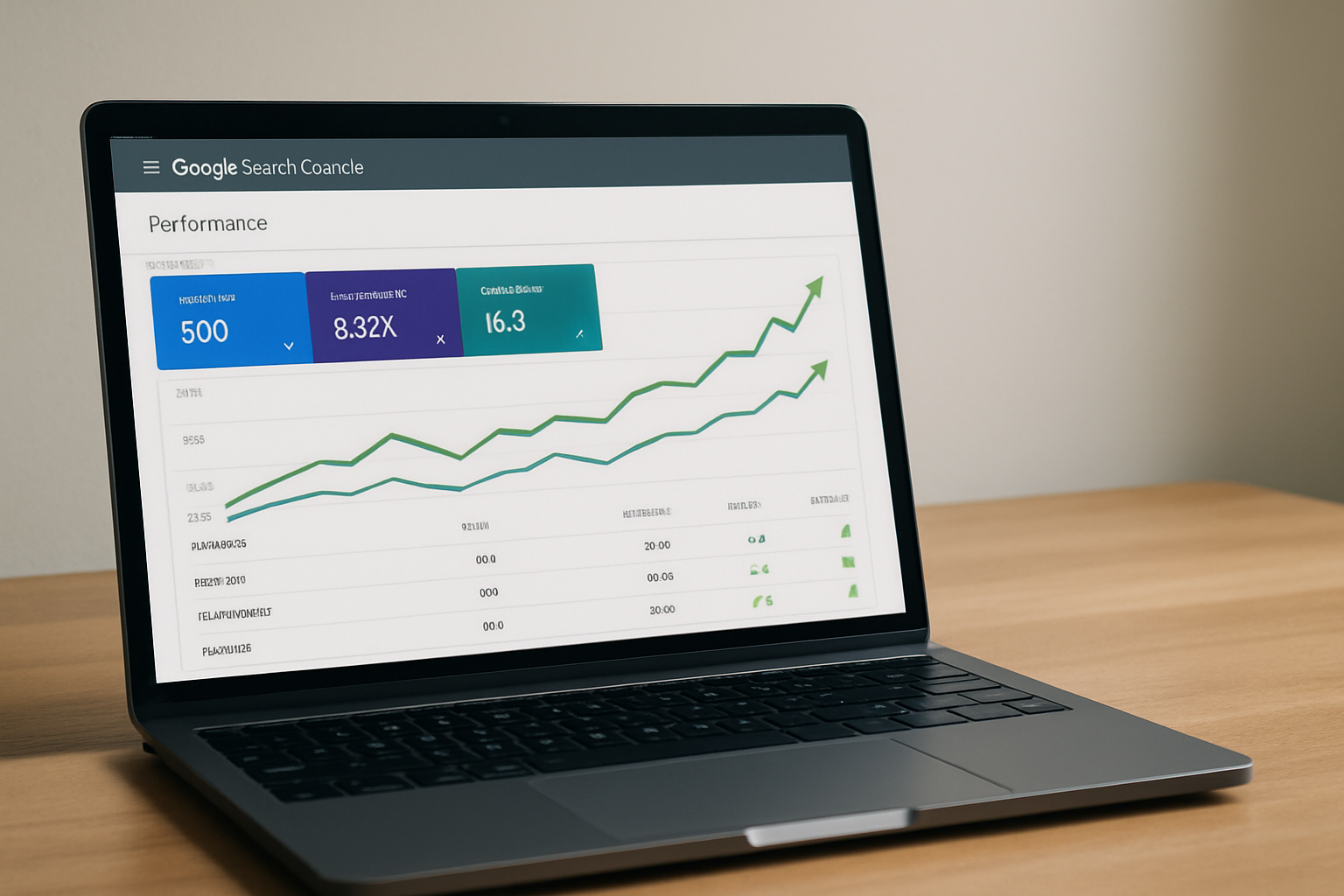
If certain articles underperform, investigate whether the issue is content depth, keyword selection, or on-page optimization, then adjust your AI platform's briefs or templates accordingly. This feedback loop transforms AI content from a set-it-and-forget-it tool into a continuously improving system that learns your audience's preferences and search engine behavior over time.
Can AI-Generated Articles Rank on Google and Get Cited by ChatGPT?
AI-generated content ranks competitively on Google and earns citations in AI answer engines such as ChatGPT when it delivers comprehensive, accurate answers to search queries and structures information in formats that both traditional crawlers and large language models can easily parse. Google's official guidance emphasizes that content quality and user value matter more than authorship method, meaning AI-written articles receive no inherent penalty as long as they avoid spammy tactics like keyword stuffing or duplicate content. Platforms optimized for AI search engines structure content with clear headings, direct answers, and FAQ schema, all of which increase the likelihood that ChatGPT and similar models surface your content when users ask related questions.
The key differentiator is depth and specificity: thin, generic AI content fails to rank or earn citations, while well-researched, thoroughly optimized articles that answer nuanced queries perform as well as or better than manually written equivalents. Automation lets you scale the production of high-quality content without scaling headcount, a strategic advantage for startups and small businesses competing against larger publishers.
What Are Common Integration Errors and How Do I Fix Them?
Common integration errors include authentication failures (wrong API key or application password), permission errors (AI platform lacks Editor role), image upload failures (file size limits or unsupported formats), and malformed HTML (unescaped characters breaking layout). Authentication failures typically manifest as "401 Unauthorized" errors in your AI platform's logs and resolve by regenerating your WordPress application password and re-entering it in the AI settings. Permission errors throw "403 Forbidden" responses and require elevating the WordPress user account assigned to the AI platform from Contributor to Editor or Author role.
Image upload failures often stem from WordPress's default upload size limit (typically 2 MB to 10 MB depending on hosting), which you can increase by editing your php.ini file or installing a plugin like Increase Upload Max Filesize. Malformed HTML issues, such as broken paragraph tags or missing closing elements, usually trace back to custom formatting rules or third-party integrations conflicting with your AI platform's output, and resolve by disabling conflicting plugins or simplifying your content templates.
How Do I Scale From One Article Per Week to Daily Publishing?
Scaling to daily publishing requires increasing your keyword pipeline, ensuring your AI platform's content quality stays consistent at higher volume, and monitoring server performance to handle the additional publishing load. Start by expanding your keyword research to identify 30 to 60 viable targets per month, using tools or your AI platform's discovery features to find low-competition queries with sufficient search volume. Next, batch-generate and review a week's worth of articles before scheduling them, confirming that quality holds steady across consecutive posts and that internal linking remains coherent as your content library grows.
On the technical side, verify that your WordPress hosting plan supports the increased database writes and image storage that daily publishing demands, upgrading to a managed WordPress host or VPS if you experience slow load times or failed publishes. Daily publishing also amplifies the importance of a robust backup strategy, since a misconfigured automation rule or corrupted batch can affect multiple posts at once, making point-in-time recovery essential.
What Should I Do If Articles Publish With Formatting Issues?
Formatting issues such as missing line breaks, inconsistent heading styles, or broken bullet lists usually result from conflicts between your WordPress theme's CSS and the HTML output by your AI platform, especially if the theme applies aggressive styling to post content. To diagnose, switch temporarily to a default WordPress theme like Twenty Twenty-Four and republish a test article; if formatting corrects, the issue lies in your custom theme's stylesheet or JavaScript. In that case, work with your theme developer to add CSS overrides that accommodate the AI platform's markup, or configure your AI platform to output simpler HTML that matches your theme's expected structure.
If formatting issues persist across themes, inspect the raw HTML in WordPress's text editor to identify malformed tags or unclosed elements, then report the pattern to your AI platform's support team so they can correct the underlying template. Most reputable platforms fix reported HTML bugs within a few days and apply the correction retroactively to queued articles.
How Do I Handle Duplicate Content Across Multiple Sites?
If you manage multiple WordPress sites and want to publish similar content to each, instruct your AI platform to generate unique variations targeting different longtail keywords or regional angles rather than copying the same article verbatim, since duplicate content across domains dilutes ranking potential and may trigger spam filters. Some platforms offer a multi-site mode that automatically rewrites introductions, examples, and conclusion sections while preserving core informational content, producing articles that cover the same topic but differ enough in wording and structure to avoid duplication penalties.
Alternatively, use canonical tags to designate one site as the authoritative source if you must publish identical content, though this approach sacrifices ranking opportunity on secondary sites. For most use cases, investing in unique content per site yields better aggregate traffic and domain authority growth.
Can I Use AI Content Automation for E-commerce Product Descriptions?
AI content automation extends beyond blog posts to e-commerce product descriptions, category pages, and buying guides, with WordPress and WooCommerce supporting custom post types that your AI platform can target via REST API or specialized plugins. To automate product descriptions, feed your AI platform a structured data file (CSV or JSON) containing product attributes such as title, SKU, features, specifications, and dimensions, then configure templates that transform these inputs into unique, SEO-optimized descriptions with natural language flow and keyword integration. This approach scales description writing from dozens per day to hundreds, a game-changer for stores with large or frequently updated inventories.
Ensure your templates include schema markup for Product, Offer, and Review snippets, which enhance rich result eligibility in Google Shopping and organic search, driving higher click-through rates and conversion potential from SEO traffic.
What Metrics Should I Track to Measure Automation ROI?
Measure automation ROI by tracking time saved, content output volume, organic traffic growth, and lead or revenue attribution from SEO-driven sessions. Baseline your manual workflow by calculating hours spent per article (research, writing, editing, publishing, optimization), then compare that to the minutes required to configure and review an AI-generated article. Multiply the time delta by your blended hourly cost of content labor and your monthly article volume to quantify direct cost savings.
| Metric | Manual Baseline | Automated Target |
|---|---|---|
| Hours per article | 3 to 5 hours | 15 to 30 minutes review |
| Articles per month | 4 to 8 | 20 to 30 |
| Organic traffic growth (6 months) | 10 to 20 percent | 50 to 100 percent |
| Cost per article | 150 to 300 dollars | 10 to 30 dollars |
On the revenue side, use Google Analytics 4 or your CRM to attribute leads and sales to organic sessions landing on AI-generated articles, calculating customer acquisition cost and lifetime value for SEO-driven conversions. This end-to-end view proves whether increased content velocity translates to business growth, not just vanity traffic metrics.
How Often Should I Update My AI Content Strategy?
Review and update your AI content strategy quarterly to incorporate search algorithm changes, shifting user intent, and new competitive threats, ensuring your keyword targets and content templates stay aligned with current best practices. During each review, audit your top 20 performing articles to identify patterns in structure, depth, and keyword usage that correlate with high rankings, then encode those patterns into your AI platform's briefs and templates for future articles. Conversely, analyze underperforming content to spot weaknesses such as shallow coverage, outdated information, or poor internal linking, and adjust your configuration to prevent recurrence.
Quarterly reviews also provide a natural checkpoint to evaluate new features released by your AI platform, test emerging content formats (such as video transcripts or interactive tools), and recalibrate your publishing cadence based on resource availability and traffic goals. Consistent iteration keeps your automation system sharp and prevents it from becoming a static, set-and-forget operation that gradually drifts out of alignment with evolving search landscapes.
Ready to Automate Your WordPress Content Pipeline?
Integrating an AI SEO article writer for WordPress compresses your content timeline, multiplies output without multiplying headcount, and ensures every published article ships optimized for both traditional search engines and AI answer platforms. By following this step-by-step guide, you've configured secure API connections, set up automated keyword research and publishing workflows, and established monitoring processes to maintain quality at scale. The result is a content engine that runs consistently in the background, building topical authority and capturing long-tail traffic while your team focuses on strategy, product, and customer relationships rather than manual drafting.
To see how native publishing and deep research automation can further streamline your workflow, explore how RankHit works and start generating SEO-optimized content that ranks and gets cited.

RankHit
RankHit official
RankHit researches keywords, writes SEO articles, and publishes them on autopilot so brands can rank on Google and get cited by ChatGPT.