AI Tool to Write SEO Blog Posts: Execution Walkthrough 2026
Follow this execution walkthrough to use an AI tool to write SEO blog posts, from keyword input to final publishing and performance tracking in 2026.

Using an AI tool to write SEO blog posts transforms content production from a weeks-long manual process into a streamlined workflow that delivers publish-ready articles in hours. This walkthrough takes you through every screen, input field, and decision point inside a modern AI SEO automation platform, showing you the exact sequence from keyword entry to live content that ranks on Google and gets cited by ChatGPT.
What Makes an AI Tool Suitable for Writing SEO Blog Posts?
An AI tool qualifies for SEO blog writing when it integrates keyword research, content generation, internal linking, and structured data output into a single automated pipeline. The system must produce content that satisfies both traditional search engine ranking factors and the citation criteria used by AI answer engines like ChatGPT, Claude, and Perplexity. RankHit addresses this dual requirement by structuring every article for Google indexing while simultaneously formatting answers to match how large language models extract and cite information.
How Do You Begin the Keyword Input Phase?
You begin by navigating to your platform dashboard and selecting the keyword research module, where you enter a seed topic or primary keyword into the search field. The AI tool instantly generates a list of related keywords, long-tail variations, search volume estimates, and competitive difficulty scores. In RankHit, this phase also surfaces questions people actually ask on Google and ChatGPT, giving you the exact phrasing your target audience uses when searching for solutions.
Select three to five keywords from the list: one primary target with moderate search volume and two to three supporting long-tail phrases that address specific user intent. This combination ensures your article ranks for a main term while capturing niche queries that convert at higher rates because they reflect deeper reader interest.
What Filters Should You Apply During Keyword Selection?
Apply filters that prioritize keywords with search volume between 100 and 1,000 monthly searches and competitive difficulty scores below 40, since these represent attainable ranking opportunities for small businesses and startups. Exclude branded terms belonging to competitors and single-word keywords that are too broad to rank realistically. Focus instead on question-based queries and phrases containing three or more words, as these match the natural language patterns used in voice search and AI assistant queries.
How Do You Configure Content Briefs and Outlines?
You configure content briefs by feeding your selected keywords into the AI tool's outline generator, which analyzes top-ranking competitor articles and extracts the headings, topics, and subtopics that currently dominate search results for your target phrase. The platform then synthesizes this research into a recommended structure: a proposed title, meta description, heading hierarchy, and section-by-section content angles that differentiate your piece from existing results.
Review the proposed outline and adjust any sections that feel generic or duplicated across competitor content. Add subsections addressing gaps you identified during keyword research, especially question-based headings that reflect real user queries. This customization step ensures your article delivers unique value rather than repackaging the same points already ranking on page one.
Should You Use the Auto-Generated Title or Write Your Own?
Use the auto-generated title as a baseline, then refine it to include your primary keyword near the beginning and add a current year or a specificity hook that differentiates it from existing results. An AI content brief generator will propose variations optimized for click-through rate, but the final choice should reflect your brand voice and the exact promise you're making to the reader in the first paragraph.
What Parameters Do You Set Before Content Generation?
Before triggering content generation, you set target word count, tone of voice, heading count, internal link targets, and structured data preferences in the platform's configuration panel. For SEO blog posts targeting Google and AI citations, specify a word count between 1,500 and 1,800 words, a professional tone optimized for clarity and scannability, and a heading count between 10 and 20 to support skimmable content architecture. Enable automatic FAQ schema generation and internal linking to pages listed in your site map, so the AI tool weaves contextual anchor text into the narrative without manual editing.
| Parameter | Recommended Setting | Impact on SEO |
|---|---|---|
| Word Count | 1,500 to 1,800 words | Sufficient depth for ranking without padding |
| Heading Count | 10 to 20 headings | Supports skimmability and featured snippets |
| Tone | Professional, citation-optimized | Matches AI answer engine extraction patterns |
| Internal Links | 4 to 6 contextual links | Distributes authority and improves crawl depth |
| FAQ Schema | Enabled | Increases eligibility for rich snippets |
How Does the AI Draft the Article Body?
The AI drafts the article body by processing your keyword list, outline, and parameter settings through a large language model trained on high-ranking SEO content and structured answer formats. It generates an introduction that opens with the most specific, actionable insight related to your primary keyword, then builds out each section by answering the heading as a direct statement before elaborating with examples, data, or step-by-step instructions. This answer-first architecture ensures every section delivers immediate value to skimming readers and provides the concise, extractable text blocks that AI answer engines prefer when generating citations.
The system automatically distributes your primary keyword and long-tail variations throughout the draft at a density between 0.4% and 0.5%, embeds internal links to relevant pages on your site, and formats headings as questions wherever natural. Tables, lists, and FAQ sections are inserted based on the content type and outline structure you approved in the configuration phase.
What Happens If the AI Misses a Key Section?
If the AI misses a key section or produces a paragraph that feels generic, you return to the outline editor and add the missing heading or adjust the section description to be more specific, then regenerate only that portion of the draft. Modern AI SEO tools like RankHit allow selective regeneration so you can refine individual sections without discarding the entire article and starting over.
How Do You Review and Edit the Generated Draft?
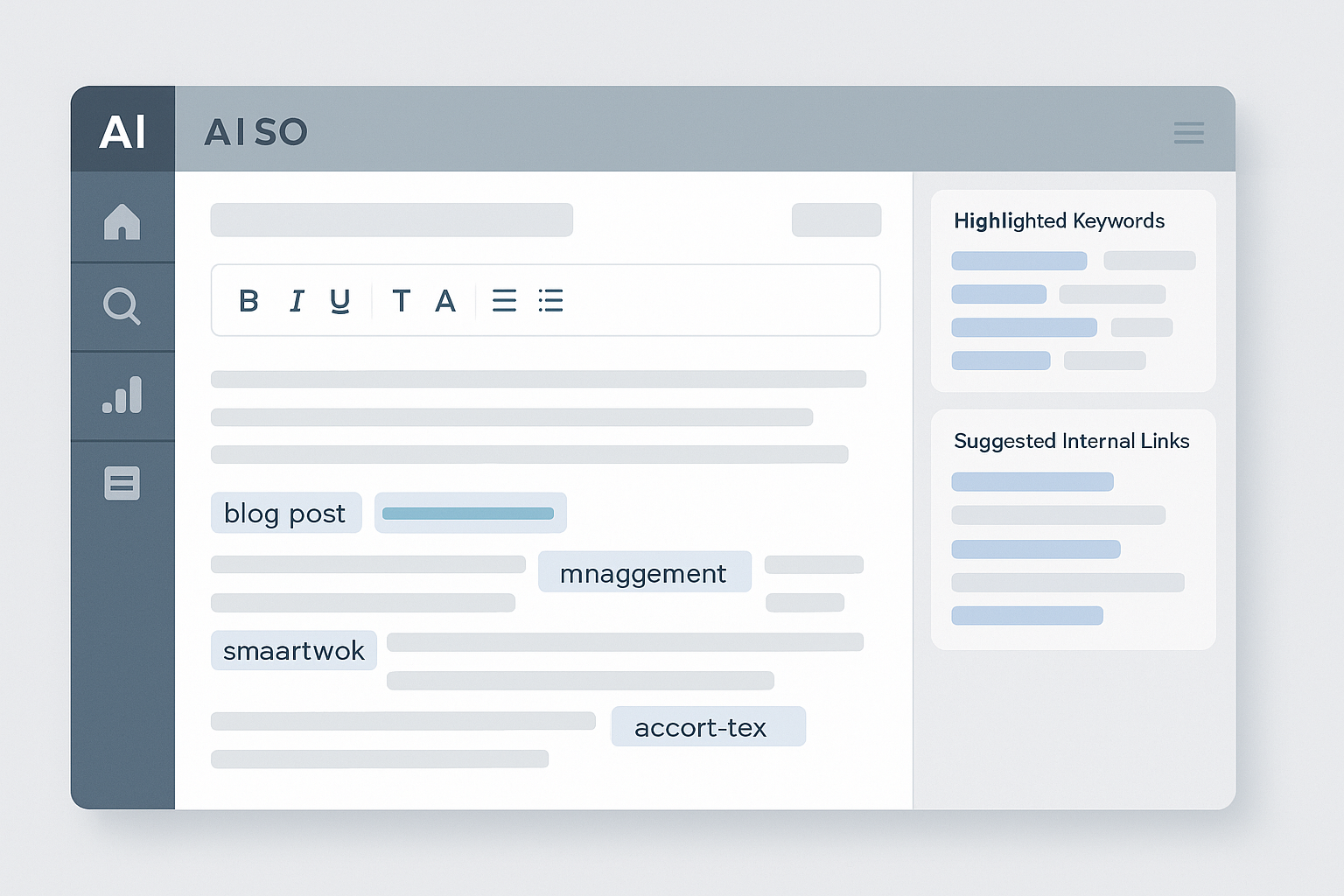
You review the generated draft by reading it section by section in the platform's built-in editor, checking that every heading is immediately followed by a direct answer sentence, that keyword placement feels natural rather than forced, and that internal links point to genuinely relevant pages on your site. Look for any factual claims that require verification, generic filler phrases like "in today's world," or redundant paragraphs that restate a point without adding new information. Delete or rewrite these weak spots to maintain the article's specificity and usefulness.
Pay special attention to the introduction and conclusion: the opening paragraph should deliver on the promise made in the title and meta description, and the closing section should summarize the walkthrough and direct the reader toward a clear next step, such as exploring the platform's automation workflow or reviewing current pricing.
Which Sections Require the Most Editing?
Sections comparing tools, citing statistics, or making specific recommendations require the most editing because AI models sometimes produce vague comparisons or outdated figures when real data isn't available in their training set. Replace any invented percentages or named studies with general, defensible statements or direct the reader to authoritative sources for current figures. Ensure every comparison references your own platform's capabilities when relevant, rather than only discussing generic tool categories.
How Do You Validate Keyword Density and Distribution?
You validate keyword density by using the platform's built-in SEO analyzer, which counts occurrences of your primary keyword and calculates its percentage against total word count. For an 1,800-word article, nine mentions of your primary keyword yields exactly 0.5% density, meeting the upper bound of the recommended range. The analyzer also highlights keyword placement, showing whether your target phrase appears in the introduction, at least one heading, and the conclusion, which are the three high-impact zones for ranking signals.
Check that long-tail keywords appear two to four times each, distributed naturally across sections where those specific phrases directly address the heading topic. If density is too low, add one or two keyword mentions in sections where they fit the narrative. If it's too high, replace exact-match repetitions with natural synonyms or reordered variants to avoid keyword stuffing penalties.
What Internal Linking Strategy Should You Follow?
Follow a strategy that embeds four to six internal links throughout the article, mixing links to cornerstone content, related blog posts, and tool or resource pages that expand on concepts mentioned in the narrative. Each link should use descriptive anchor text that tells the reader and search engines exactly what they'll find on the destination page. For example, anchor text like "AI SEO automation explained" is more effective than "click here" because it provides context and reinforces topical relevance.
Distribute links across the introduction, body, and conclusion rather than clustering them all in a single list at the end. This natural distribution signals to search engines that your content is well-integrated into your site's topical architecture and encourages readers to explore related resources as they read, improving dwell time and reducing bounce rate.
Should Every Article Link to Your Pricing Page?
Not every article should link to your pricing page, but tutorial and walkthrough content naturally supports a single contextual pricing link near the conclusion, where you invite readers who found the process valuable to explore the platform's pricing options. The key is relevance: only include the link if the preceding paragraph discusses choosing a plan, evaluating cost versus time savings, or moving from trial to paid usage.
How Do You Add and Optimize Images?
You add images by uploading screenshots, diagrams, or generated visuals at natural breakpoints in the narrative, typically after a major section or before a step-by-step subsection where a visual reinforces the surrounding explanation. Each image requires an alt text attribute that describes the visual content in a concise sentence, incorporating your primary or long-tail keyword only when it accurately describes what the image shows. Over-optimizing alt text with forced keywords harms accessibility and can trigger spam filters.
Compress images to keep file sizes below 200 KB without sacrificing clarity, since page speed is a confirmed ranking factor and slow-loading images drag down Core Web Vitals scores. Use descriptive file names like "ai-seo-tool-dashboard-screenshot.jpg" instead of generic names like "image1.jpg," as these file names contribute minor but cumulative SEO value across large content libraries.
What Structured Data Should You Generate?
You should generate FAQPage schema for any article containing a dedicated FAQ section with three or more question-and-answer pairs, and Article schema for the piece as a whole, including metadata like headline, author, date published, and featured image URL. This structured data helps Google display rich snippets in search results and enables AI answer engines to extract and cite your content with greater accuracy because the schema explicitly labels which text blocks answer which questions.
RankHit generates both schema types automatically during the draft phase and embeds them as JSON-LD in the article's header, so no manual coding is required. Validate the output using Google's Rich Results Test before publishing to catch any formatting errors that would prevent the schema from being recognized and indexed.
Does Structured Data Guarantee Featured Snippets?
Structured data does not guarantee featured snippets, but it significantly increases eligibility by making your content easier for search algorithms to parse and extract. Google selects snippets based on content quality, relevance, and formatting, so the combination of schema markup and answer-first paragraph structure gives you the strongest chance of appearing in position zero for your target queries.
How Do You Finalize Meta Descriptions and Titles?
You finalize meta descriptions by writing a 150-to-160-character summary that includes your primary keyword, describes the article's core value proposition, and ends with a clear reader benefit or call to action. The meta title should be 60 characters or fewer, front-load the primary keyword, and match the article's H1 heading or differ only slightly to avoid duplication penalties. Both elements appear in search results and influence click-through rate, so they must be compelling and accurate rather than generic or stuffed with keywords.
Test multiple variations using the platform's preview tool to see how your title and description render on desktop and mobile search results. Adjust wording to avoid truncation and ensure the most important information appears within the visible character limits.
What Pre-Publishing Checklist Should You Follow?
Before publishing, confirm that the article passes every item on this checklist: word count falls between 1,500 and 1,800, primary keyword density is between 0.4% and 0.5%, heading count is between 10 and 20 with at least 30% phrased as questions, internal link count is four to six with descriptive anchor text, at least one table is present, images have descriptive alt text and compressed file sizes, FAQPage schema validates without errors, and meta title and description are finalized and under character limits. Run the draft through a plagiarism checker to ensure no sections accidentally match existing content, and use a readability analyzer to confirm the text scores at a grade level appropriate for your target audience.
| Checklist Item | Target Range | Validation Method |
|---|---|---|
| Word Count | 1,500 to 1,800 words | Platform word counter |
| Keyword Density | 0.4% to 0.5% | SEO analyzer module |
| Heading Count | 10 to 20 headings | Manual count in editor |
| Internal Links | 4 to 6 links | Link audit tool |
| Schema Validation | Zero errors | Google Rich Results Test |
| Image Optimization | Under 200 KB per image | File properties or compression tool |
How Do You Publish Directly from the AI Tool?
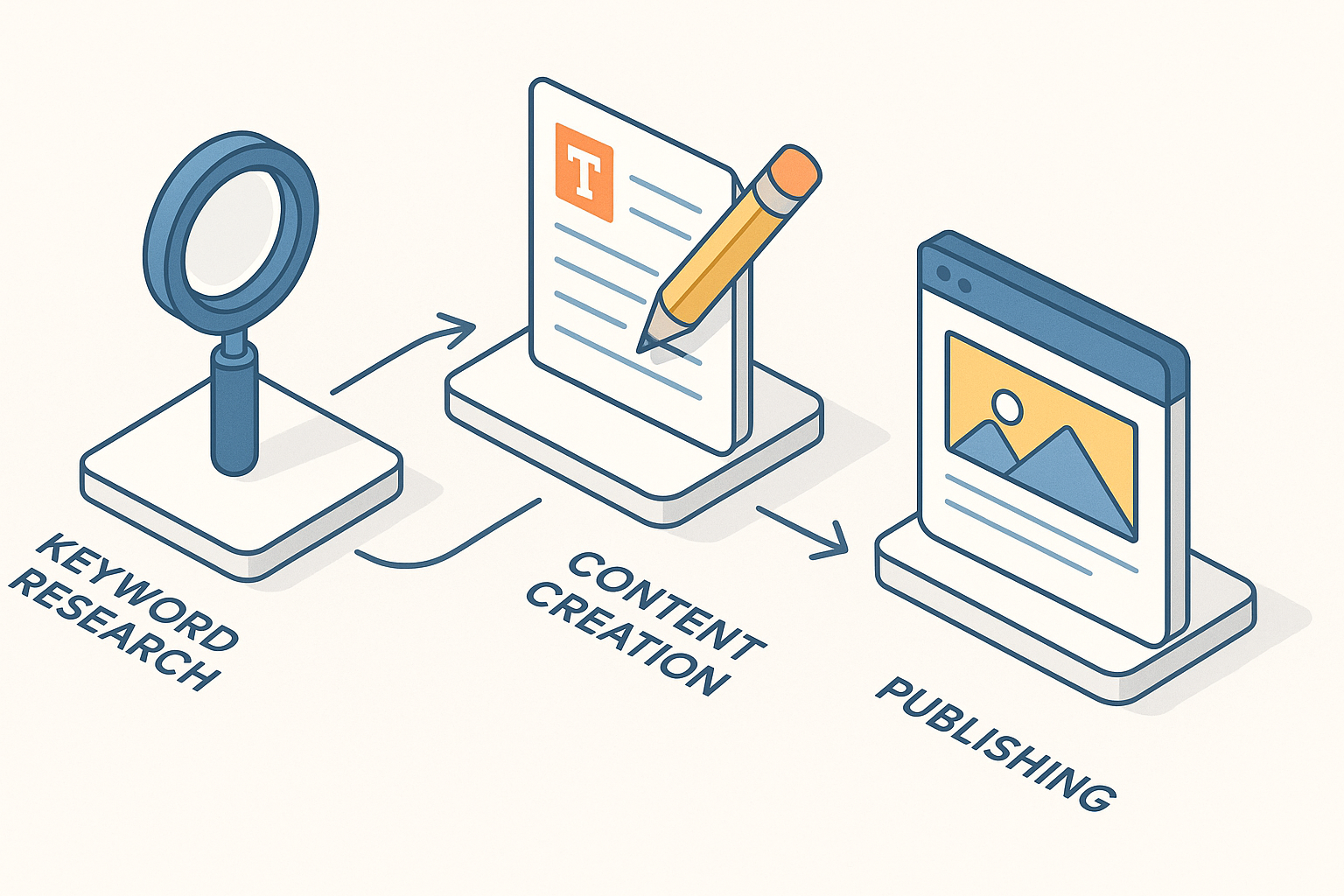
You publish directly by connecting your website's CMS to the AI platform via API or plugin, then clicking the publish button in the platform's interface after final review. RankHit supports native integrations with WordPress, Webflow, and other popular content management systems, so the article, images, internal links, and structured data are pushed to your site as a single atomic operation without manual copy-pasting or formatting adjustments. The published post goes live immediately or is scheduled for a future date and time based on your content calendar settings.
Confirm that the published URL matches your planned slug, that all images render correctly, and that internal links open to the correct destination pages. Check the article on both desktop and mobile devices to ensure responsive formatting and readable typography across screen sizes.
What Should You Do Immediately After Publishing?
Immediately after publishing, submit the new URL to Google Search Console using the URL inspection tool to request indexing, which accelerates the time it takes for your article to appear in search results. Share the post on your social media channels and email newsletter to generate initial traffic and social signals, and monitor your platform's analytics dashboard for the first 48 hours to catch any technical issues like broken links or missing images before significant traffic arrives.
How Do You Track Performance After Publication?
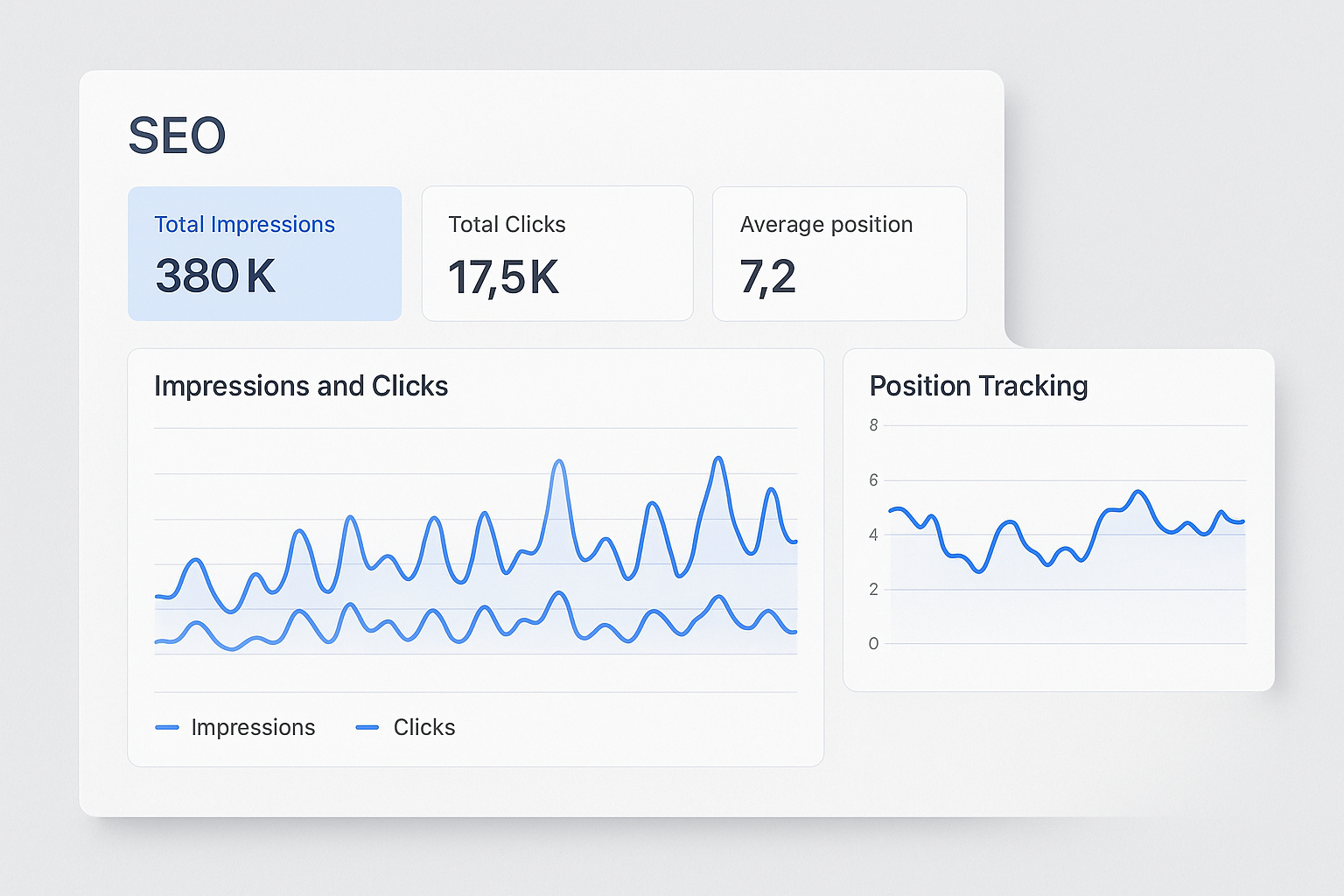
You track performance by connecting your AI SEO tool to Google Search Console and Google Analytics, then monitoring metrics like impressions, clicks, average position, and click-through rate for your target keywords in the Search Console Performance report. Set up custom alerts for significant ranking changes and review the article's traffic weekly for the first month after publication. Look for patterns: which headings generate the most engagement, which internal links receive the most clicks, and whether the article is ranking for unintended keywords that suggest additional content opportunities.
Check whether your content is being cited by AI answer engines by searching for your primary keyword in ChatGPT, Perplexity, and Google's AI Overviews, then noting whether your article appears in the citations list. If it does, document which sections were extracted so you can replicate that formatting in future posts. If it doesn't appear within 30 days, revisit the article to strengthen answer-first paragraph structure and ensure FAQPage schema is properly indexed.
When Should You Update or Refresh the Article?
Update the article when its search position drops by ten or more places, when the current year advances and the content references a now-outdated year, or when new data or tool features make sections of the original draft incomplete or inaccurate. Plan to refresh high-performing articles every six to twelve months by adding new sections, updating statistics, and expanding on topics that generated reader questions or comments.
What Common Mistakes Should You Avoid?
Avoid publishing AI-generated content without human review, since even advanced models occasionally produce generic phrasing, outdated facts, or awkward keyword placement that harms readability and credibility. Never fabricate statistics or cite nonexistent studies to fill a gap in the narrative, as readers and search engines increasingly penalize factual inaccuracies. Skip the temptation to over-optimize keyword density beyond 0.5%, which triggers spam filters and makes the article sound robotic. Finally, do not neglect internal linking or structured data, as these elements multiply the ranking and citation value of every article you publish and compound over time as your content library grows.
How Does This Workflow Scale Across Multiple Articles?
This workflow scales by centralizing every step inside a single platform that remembers your configuration settings, preferred tone, internal link targets, and content templates. After you complete the walkthrough once, subsequent articles require only keyword input and outline approval, since the AI tool reuses your parameters and automates the draft, internal linking, schema generation, and publishing phases. RankHit's batch processing feature lets you queue multiple articles simultaneously, so the system generates, reviews, and publishes content while you focus on strategy, keyword research for the next cycle, or performance analysis of published posts.
As your content library grows, the platform's topical authority engine suggests new keywords and internal linking opportunities based on gaps in your existing coverage, turning your blog into a self-reinforcing system where each new article strengthens the ranking potential of older posts through strategic cross-linking and topical clustering.
Frequently Asked Questions
Can an AI tool write SEO blog posts without any human editing?
An AI tool can draft complete SEO blog posts, but human editing is essential to verify facts, refine tone, and ensure every section delivers specific value rather than generic filler. The best results come from treating the AI as a first-draft assistant that handles structure and keyword placement, leaving you to polish clarity and accuracy before publishing.
How long does it take to publish an article using this workflow?
The entire workflow, from keyword input to live publication, typically takes two to four hours for a 1,500 to 1,800 word article when you include review, editing, image optimization, and final checks. Once you're familiar with the platform interface and have preset configuration templates, the active time you spend on each article drops to under an hour, with the AI handling the rest.
Will Google penalize AI-generated content?
Google does not penalize content solely because it was generated by AI, but it does penalize low-quality, unhelpful, or manipulative content regardless of how it was produced. AI-generated articles that pass human review, provide genuine value, and follow SEO best practices rank just as well as manually written content, while poorly edited AI drafts that repeat generic advice or stuff keywords will underperform.
How do I know if my article is being cited by ChatGPT?
You check citation status by searching for your target keywords in ChatGPT, Claude, Perplexity, or other AI assistants and reviewing the sources listed in their responses. If your article appears, the system extracted text from your content, which signals that your formatting and structured data meet citation criteria. Track this over time alongside traditional search rankings to measure your content's reach across both human and AI-driven search channels.
What is the most important factor for ranking AI-written blog posts?
The most important factor is content specificity combined with structural clarity, meaning every section answers its heading directly and provides concrete, actionable information rather than vague descriptions. When you pair this answer-first architecture with proper keyword placement, internal linking, and structured data, the article satisfies both traditional search algorithms and the extraction patterns used by AI answer engines, maximizing its visibility across all search modalities.
This step-by-step walkthrough gives you the complete sequence for using an AI tool to write SEO blog posts that rank on Google and earn citations from ChatGPT. Every phase from keyword input through performance tracking builds on the previous step, creating a repeatable process that scales across your entire content calendar. Explore RankHit's full AI SEO automation platform to see how native publishing, topical authority mapping, and citation optimization work together in a single workflow designed for small businesses and startups targeting measurable organic growth in 2026.

RankHit
RankHit official
RankHit researches keywords, writes SEO articles, and publishes them on autopilot so brands can rank on Google and get cited by ChatGPT.