AI Tool to Write SEO Blog Posts: Step-by-Step Setup Guide
Follow this step-by-step guide to set up an AI tool to write SEO blog posts. From keyword input to publishing, learn the complete workflow.

Setting up an AI tool to write SEO blog posts requires more than pointing software at a topic and hoping for results. The complete workflow spans keyword input, content brief generation, AI configuration, internal linking, and native publishing, each step building on the last to produce articles that rank on Google and earn citations from ChatGPT and other AI search engines.
This guide walks through the tactical setup process used by startups and small businesses to automate their SEO content pipeline while maintaining quality and relevance. You'll configure each component in sequence, verify output at checkpoints, and establish a repeatable process that scales without manual rewrites.
What Makes an AI Tool Effective for SEO Blog Writing?
An effective AI tool to write SEO blog posts combines keyword research, content brief generation, internal link mapping, and direct publishing into one automated workflow. The integration between these components eliminates the manual handoff points where context gets lost and formatting breaks, letting you move from target keyword to published article in a single process rather than stitching together outputs from disconnected tools.
The best platforms structure content specifically for AI search engine citations, not just traditional Google rankings. This means clear heading hierarchies, direct-answer opening sentences, and schema markup that language models can parse and reference when generating answers for users.
Step 1: Configure Your Keyword Research Input
Begin by defining your primary keyword and up to three longtail variations that share the same search intent. Enter these into your AI SEO automation platform's keyword input field, ensuring each variation addresses a specific user question or pain point rather than generic synonyms that dilute focus.
For example, if your primary keyword is "ai tool to write seo blog posts," your longtail variations might include "how to automate seo content creation" and "ai seo article writer for wordpress." These share the underlying goal of automating content production but signal different levels of technical familiarity and platform requirements.
Verify that your platform supports keyword density targets between 0.4% and 0.5%, since this range satisfies search engine expectations without triggering over-optimization penalties. Most AI tools default to higher densities that read unnaturally, so manual configuration at this step prevents rewrites later.
How Do You Validate Keyword Intent Before Generation?
Validate keyword intent by searching each term in Google and reviewing the top three results to confirm they match the content type you plan to create. If your keyword returns product pages but you're building a tutorial, the intent mismatch will tank your rankings regardless of content quality, so adjust your keyword or article angle before proceeding.
Step 2: Set Content Brief Parameters
Content brief parameters define word count, heading count, tone, and article angle before the AI generates any prose. Set your target word count to 1,500-1,800 words, which balances depth with readability for most SEO topics, and specify 10-20 headings to ensure scannable structure that both humans and AI search engines can navigate quickly.
Choose your tone carefully, because it shapes every sentence the AI writes. Professional tone works best for B2B SaaS and startup audiences targeting decision-makers, while conversational tones suit local businesses and consumer-facing content. The tone you set here carries through headings, transitions, and calls to action, not just the introduction.
| Brief Parameter | Recommended Setting | Why It Matters |
|---|---|---|
| Word Count | 1,500-1,800 | Balances depth with engagement, matches top-ranking content length |
| Heading Count | 10-20 | Creates scannable structure for humans and AI parsers |
| Keyword Density | 0.4-0.5% | Satisfies SEO without triggering over-optimization flags |
| Internal Links | 4-6 | Distributes authority, keeps readers on site |
| Images | 3-5 | Breaks up text, reinforces key points visually |
Specify your article angle at this stage as well. Tactical step-by-step tutorials, comparison guides, and problem-solution frameworks each require different heading structures and example types, so declaring the angle in your brief ensures the AI follows the correct template rather than defaulting to generic topic overviews.
Step 3: Connect Your CMS for Native Publishing
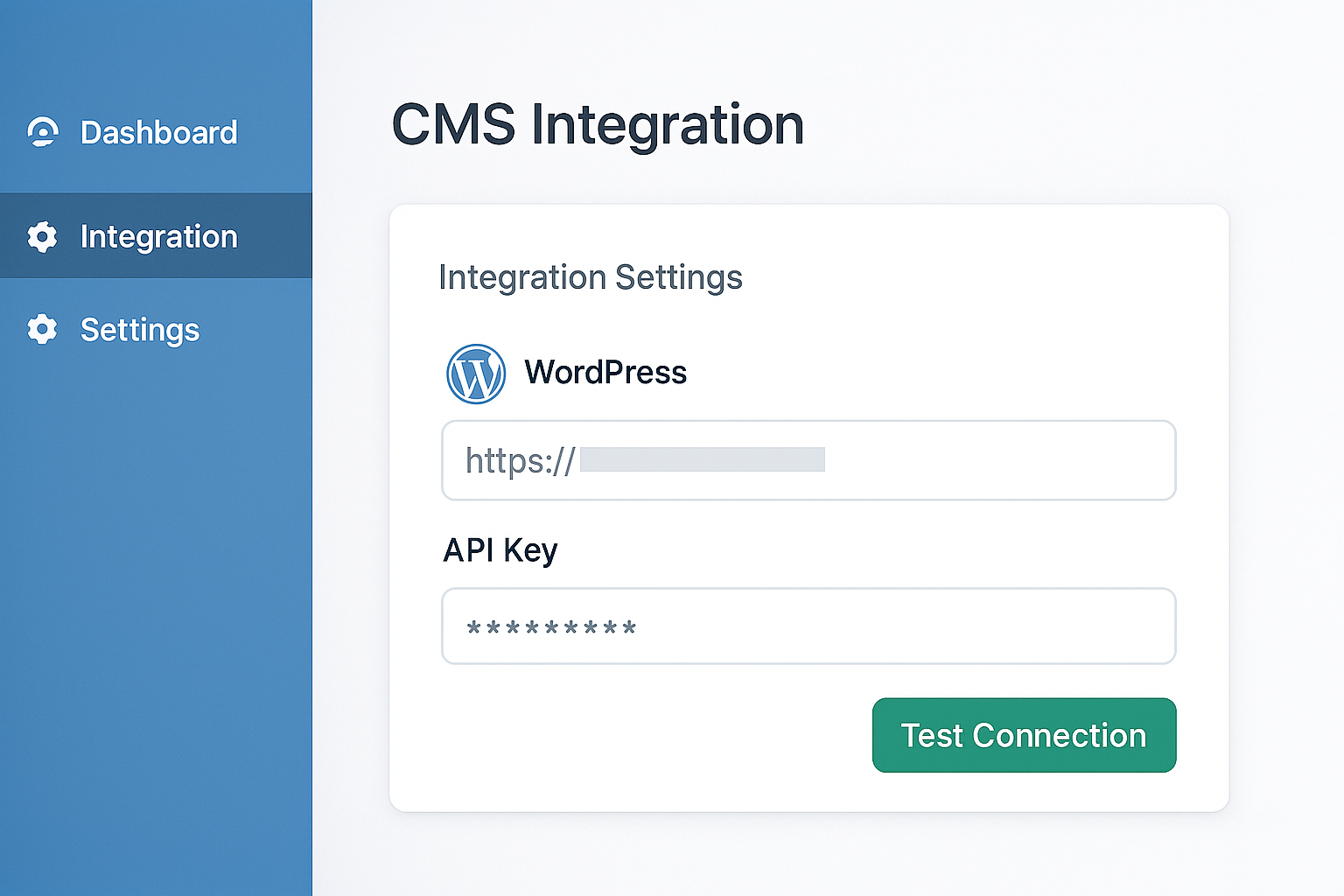
Native publishing integration lets your AI tool push finished articles directly to WordPress, Webflow, or your custom CMS without copy-paste steps that break formatting and strip schema markup. Connect your CMS by generating an API key or app password in your platform's settings, then paste it into your AI tool's integrations panel and test the connection with a draft post.
This integration preserves inline styles, internal links, and structured data that get lost when you export to Google Docs or manually copy HTML. For WordPress users, the AI tool can also assign categories, tags, and featured images during publish, reducing post-production work from twenty minutes per article to zero.
What Permissions Does the API Key Need?
The API key needs permissions to create posts, upload media, and optionally manage categories and tags, but it should not have permission to delete content or modify site settings. Restricting the scope limits damage if the key is ever compromised, while still allowing full publishing automation for new articles.
Step 4: Map Internal Link Inventory
Internal link inventory mapping tells your AI tool which URLs are available for inline linking within new articles. Upload a CSV or paste a list of your existing blog posts, product pages, and key landing pages with their full URLs, so the AI can select contextually relevant links instead of inventing broken URLs or linking externally when an internal option exists.
Platforms like RankHit automatically crawl your sitemap to build this inventory, updating it each time you publish a new post. Manual inventory management works for smaller sites, but automation prevents dead links and ensures new content gets linked as soon as it goes live.
Aim for four to six internal links per article, distributed naturally through the body rather than clustered in a resources list at the end. Each link should use descriptive anchor text that previews the destination content, helping both readers and search engines understand the relationship between pages.
Step 5: Configure AI Model and Temperature Settings
AI model selection and temperature settings control the creativity and consistency of generated content. Choose a model version optimized for long-form content, such as GPT-4 or Claude, and set temperature between 0.3 and 0.5 to balance factual accuracy with natural phrasing, avoiding both robotic repetition and off-topic tangents.
Lower temperature values produce more deterministic output, useful when generating technical documentation or data-driven content where consistency across articles matters more than stylistic variety. Higher values introduce more variation, which can help avoid duplicate phrasing when producing multiple articles on closely related topics, but they also increase the risk of hallucinated facts.
Should You Use the Same Model for All Article Types?
You should use the same model for all article types if consistency in tone and structure matters more to your brand than optimizing each piece individually. However, switching to a more advanced model for pillar content and comprehensive guides often justifies the higher per-article cost, since those pieces drive the most organic traffic and backlinks over time.
How Do You Structure Content for ChatGPT Citations?
Structuring content for ChatGPT citations requires opening every section with a direct-answer sentence that stands alone, followed by supporting detail and examples. AI language models extract these opening sentences when generating answers for users, so burying your main point three sentences into a paragraph means ChatGPT will skip your content in favor of a competitor who front-loads their answer.
Add FAQ sections with question headings phrased exactly as users type them into search bars and AI assistants. Each FAQ answer should repeat the question's core terms in the first sentence, then expand with specific steps or data points. This redundancy feels unnatural to human writers but dramatically improves citation rates in AI-generated responses.
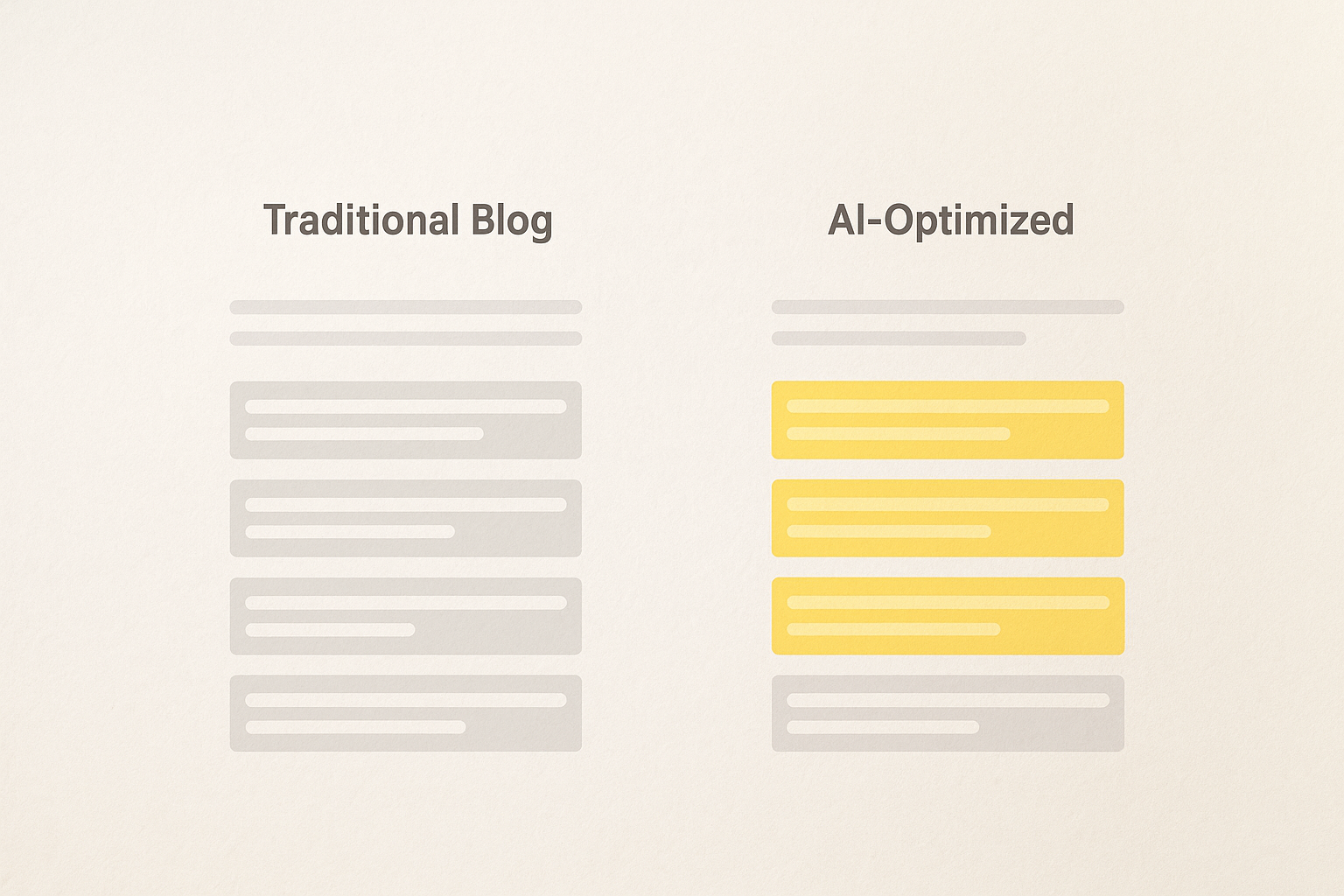
Schema markup, especially FAQPage and HowTo types, gives AI models structured data they can parse reliably. Configure your AI tool to generate this markup automatically and inject it into your CMS during publishing, rather than adding it manually after the fact.
Step 6: Run a Test Generation and Review Output
Run a test generation with a single keyword before committing to bulk production, then review the output for keyword density, heading structure, internal link relevance, and tone consistency. This checkpoint catches configuration errors when they're easy to fix, rather than discovering problems after generating fifty articles that all share the same structural flaw.
Check that the primary keyword appears 6-9 times across the 1,500-1,800 word article, with at least one mention in a heading, one in the introduction, and one in the conclusion. Verify that 30-40% of headings are phrased as questions, and that every heading is immediately followed by a sentence that directly answers or addresses it.
Inspect internal links to confirm they point to genuinely relevant pages rather than generic homepage links or tangentially related posts. If the AI is linking to your pricing page in every article regardless of context, your inventory mapping likely lacks enough topically diverse URLs to choose from, so expand your internal link list before proceeding.
What Red Flags Indicate Poor AI Configuration?
Red flags indicating poor AI configuration include keyword stuffing above 0.6% density, generic opening sentences like "In today's fast-paced world," headings that don't match the declared article angle, and internal links that all point to the same two pages. Any of these signals that your brief parameters or model settings need adjustment before scaling up production.
Step 7: Set Up Automated Publishing Schedules
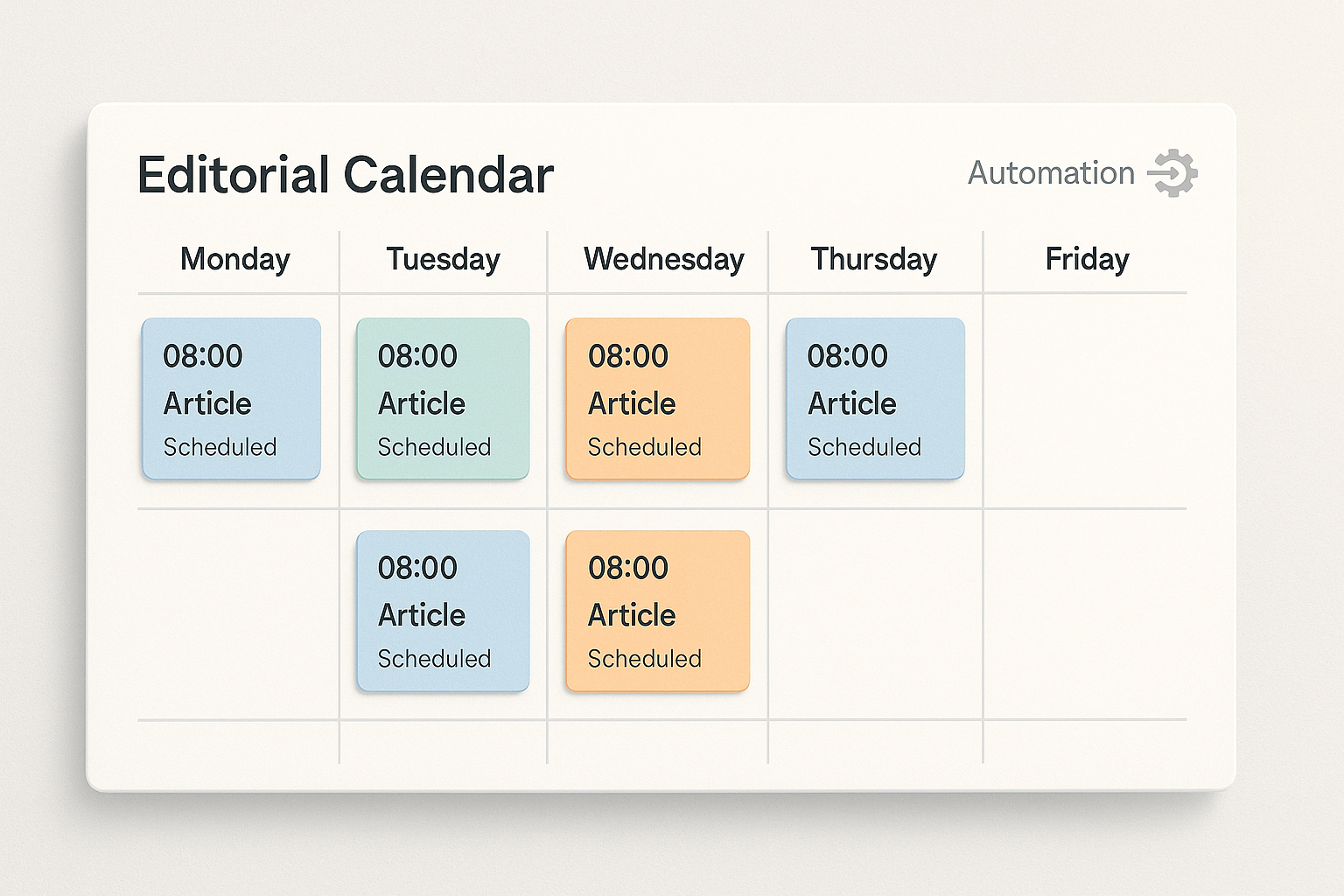
Automated publishing schedules let you generate content in batches and release it at consistent intervals that signal active site maintenance to search engines without overwhelming your audience. Configure your AI tool to publish two to four articles per week, spacing them evenly across weekdays when B2B traffic peaks, and set the publish time to early morning in your target region so content is indexed by midday.
This cadence balances SEO momentum with content quality review. Publishing daily strains your ability to spot-check each article before it goes live, while publishing weekly slows topical authority growth and extends the timeline to reach critical mass in search rankings.
Enable draft mode for the first month of automation, so articles generate on schedule but remain unpublished until you manually approve them. This safety net lets you verify that automation is working as configured before fully removing yourself from the loop.
How to Monitor Performance After Automation Goes Live
Monitor performance after automation goes live by tracking organic impressions, click-through rates, and average position in Google Search Console for each published article. Focus on articles published 30-60 days ago, since newer posts haven't had time to rank and older posts reflect outdated configurations you've since improved.
Set up alerts in your analytics platform when any article drops below position 20 for its target keyword, signaling either a content quality issue or a competitor publishing something better. Review these flagged articles to determine whether the AI missed key subtopics, used outdated information, or simply chose an angle that didn't match search intent.
Track ChatGPT citations separately by searching for your domain in ChatGPT's responses to common questions in your niche. Tools that optimize specifically for AI search engine citations often provide citation tracking dashboards, but manual spot-checking gives you qualitative insight into which content structures earn mentions versus which get ignored.
Common Setup Mistakes to Avoid
The most common setup mistake is skipping the test generation step and jumping straight to bulk production, which compounds configuration errors across dozens of articles that all need manual fixes. Always generate and review at least three test articles with different keywords before automating your full content calendar.
Another frequent error is setting keyword density targets above 0.6%, which produces content that reads like keyword spam and triggers over-optimization penalties. AI tools often default to higher densities because they correlate with keyword presence in top-ranking content, but correlation isn't causation, and modern search algorithms penalize unnatural repetition more heavily than they reward keyword frequency.
Many users also fail to update their internal link inventory as they publish new content, causing the AI to ignore recent high-quality posts in favor of older, less relevant pages. Configure your platform to refresh the inventory automatically, or set a recurring calendar reminder to upload an updated list monthly.
Why Do Some Automated Articles Fail to Rank?
Some automated articles fail to rank because they target keywords with search intent that doesn't match the content type the AI generated, such as producing a tutorial when users want a product comparison. Validate intent before generation, and adjust your article angle in the brief parameters to align with what's already ranking for that keyword.
Scaling Beyond Initial Setup
Scaling beyond initial setup means expanding from one article per week to ten or more without sacrificing quality, which requires building topical clusters rather than targeting isolated keywords. Group related keywords into clusters, generate a comprehensive pillar post for each cluster, and then automate supporting articles that link back to the pillar and to each other.
This cluster approach builds topical authority faster than scattershot keyword targeting, because search engines recognize your site as a comprehensive resource on specific subtopics rather than a collection of unrelated articles. Configure your AI tool to automatically interlink articles within the same cluster, using anchor text that reflects the specific relationship between pieces.
As your content library grows past fifty articles, audit your oldest posts quarterly to refresh outdated information and add links to newer, more detailed coverage. Platforms that automate this refresh cycle, such as systems designed for continuous SEO content automation, prevent content decay without manual intervention.
Frequently Asked Questions
How long does initial setup take for an AI SEO tool?
Initial setup for an AI SEO tool takes two to four hours if you configure keyword research, content briefs, CMS integration, and internal link inventory in a single session. Breaking setup into multiple sessions extends the timeline but reduces errors, since you can test each component before moving to the next.
Can I use an AI tool to write SEO blog posts without a WordPress site?
You can use an AI tool to write SEO blog posts without a WordPress site, since most platforms support Webflow, Shopify, custom APIs, and HTML export options. Native publishing integration saves the most time, but even manual copy-paste workflows benefit from AI-generated content that includes proper heading structure, keyword optimization, and internal links.
What's the minimum content volume needed to see SEO results?
The minimum content volume needed to see SEO results is 20-30 articles published over 8-12 weeks, assuming each targets a distinct keyword with realistic competition levels. Sites in highly competitive niches may need 50+ articles to break into top rankings, while those in underserved niches sometimes see results with fewer than fifteen well-optimized posts.
Do I need to edit AI-generated content before publishing?
You need to edit AI-generated content before publishing if your initial configuration produces output with factual errors, awkward phrasing, or misaligned tone, but well-configured systems often generate publish-ready articles that require only a quick review. Invest time in setup and testing to minimize per-article editing, rather than accepting poor configuration and editing every piece heavily.
How do I ensure automated content doesn't sound robotic?
You ensure automated content doesn't sound robotic by setting appropriate temperature values between 0.3 and 0.5, choosing a tone in your content brief that matches your brand voice, and reviewing test generations to verify the AI follows that tone throughout the entire article, not just the introduction. Robotic output usually signals temperature set too low or a generic tone selection.
Setting up an AI tool to write SEO blog posts transforms content production from a weekly bottleneck into a scalable system that runs with minimal oversight. The initial configuration work pays dividends in consistent output quality and publishing velocity, freeing your team to focus on strategy and promotion rather than drafting and formatting.
Start with a single keyword cluster to validate your setup, monitor performance through at least one full ranking cycle, and then scale gradually as you identify which content types and angles perform best for your specific audience. For businesses targeting 100-1,000 monthly visitors, a properly configured AI workflow can reach that milestone in three to six months with minimal manual intervention beyond quarterly audits.
Explore automation options that fit your publishing volume and learn how AI SEO automation integrates with your existing content strategy.

RankHit
RankHit official
RankHit researches keywords, writes SEO articles, and publishes them on autopilot so brands can rank on Google and get cited by ChatGPT.